

Run the business from launch day.
The day you launch you will want to know your MRR, who is active and who is stuck — and most teams buy three more tools to find out. Here the console computes it from the data you already have.
The only backend that shows you your MRR.
Live tiles for MRR, active users, DAU/MAU, signups and conversion — the metrics founders otherwise buy from an analytics product.
Illustrative values. The console has a switch for simulated demo data.
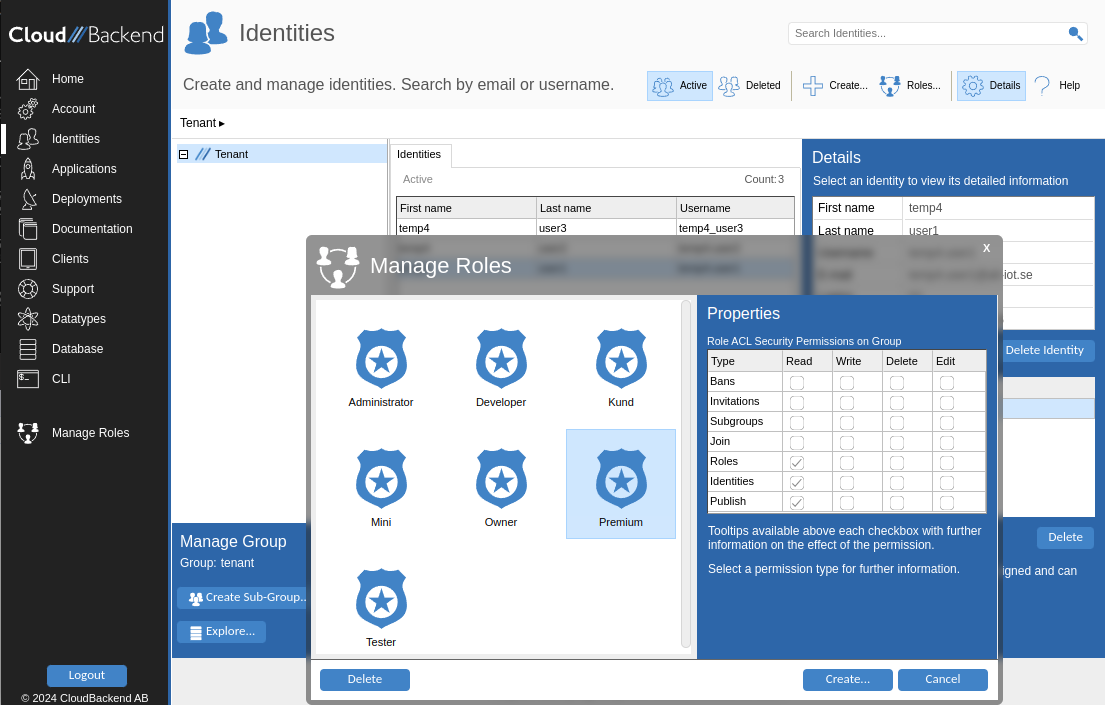
The teams, roles and permissions your customers expect — without building a permission system.
Invite, deactivate and restore identities. Groups and sub-groups carry their own databases. Every account can turn on MFA.
- Users sign up from any client, or from a deployed app's login page
- Your own console at
{tenant}.db.cloudbackend.com - Each identity can be tied to a price plan
| Type | Read | Write | Delete | Edit |
|---|---|---|---|---|
| Bans | ||||
| Invitations | ||||
| Subgroups | ||||
| Join | ||||
| Roles | ||||
| Identities | ||||
| Webshares |
Starter
€9 / month · 1 GB drive · 500 cloudos
Team
€290 / year · 20 GB drive · 10 000 cloudos
Illustrative plans, published under
tenant://Settings/Products/Priceplans.
Define a plan. Users subscribe. Revenue arrives.
Title, interval, price, currency and an account type that sets storage and credits when the subscription activates. Payment via PayPal today.
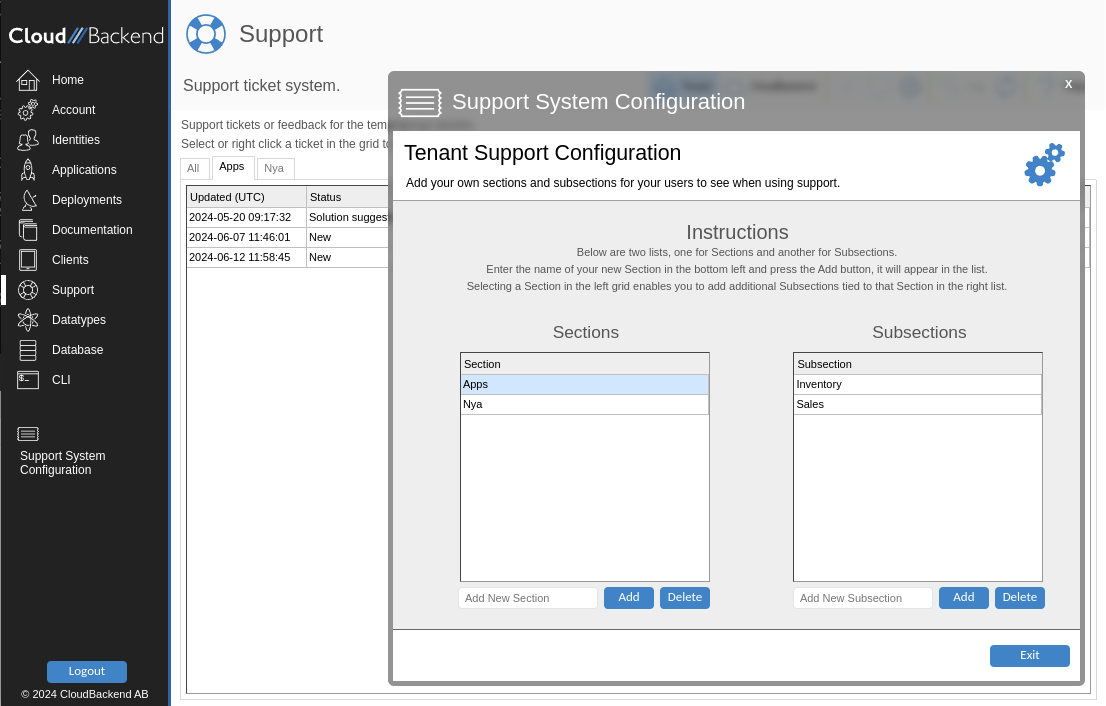
A ticket desk for your users, in the same console.
Ticket types, severity, assignment, a conversation thread and a case log. Register which client types may connect — Android, iPhone, Web — for per-platform control.
Operate it from a browser, a terminal, or both.
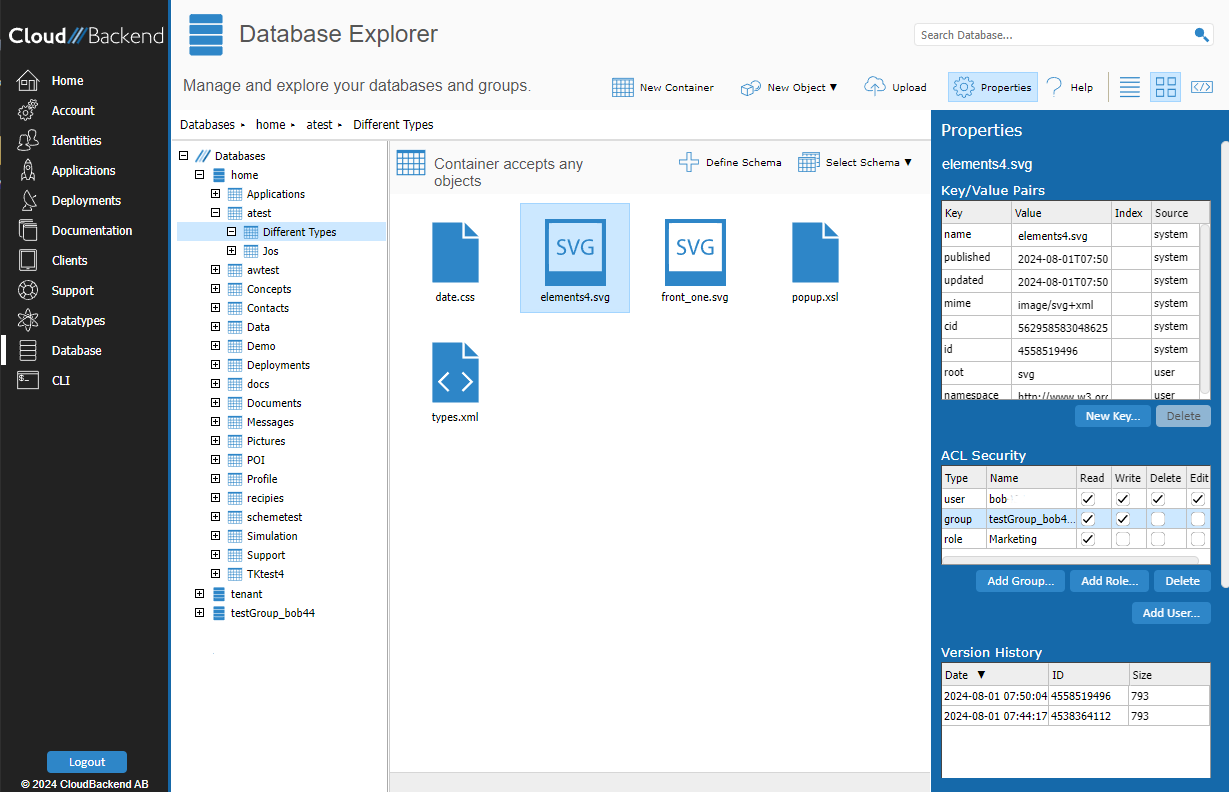
Database Explorer
Browse, upload, set schema, search full text and restore deleted objects.
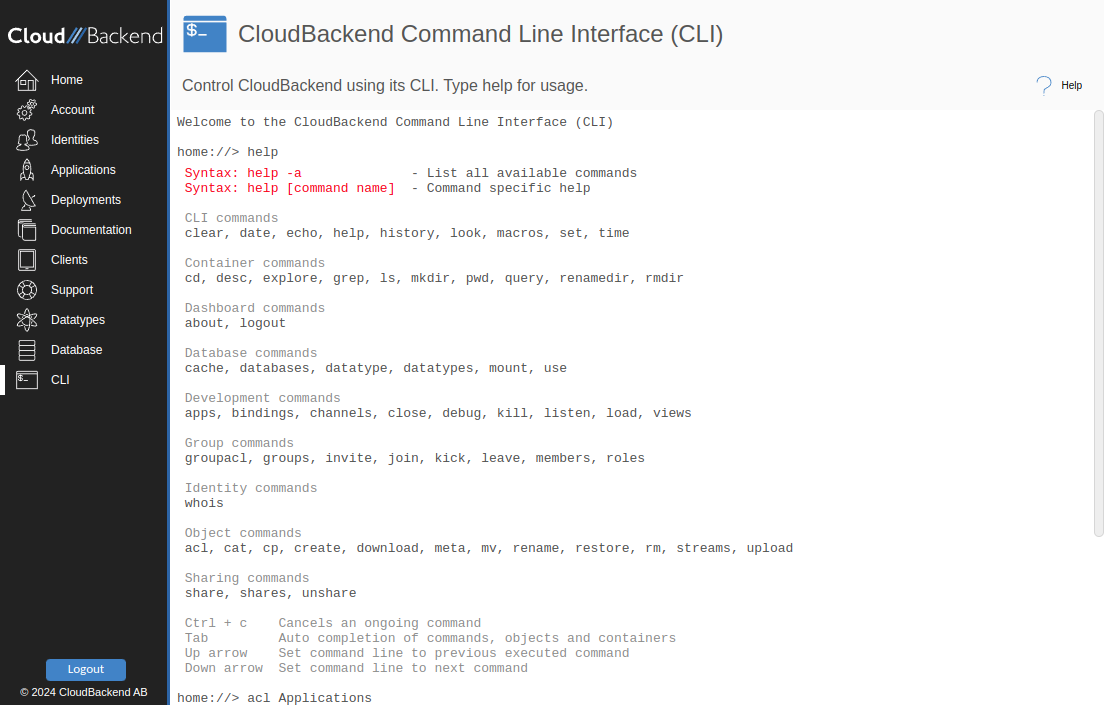
CLI
Seventy-plus commands with tab completion, macros and history.
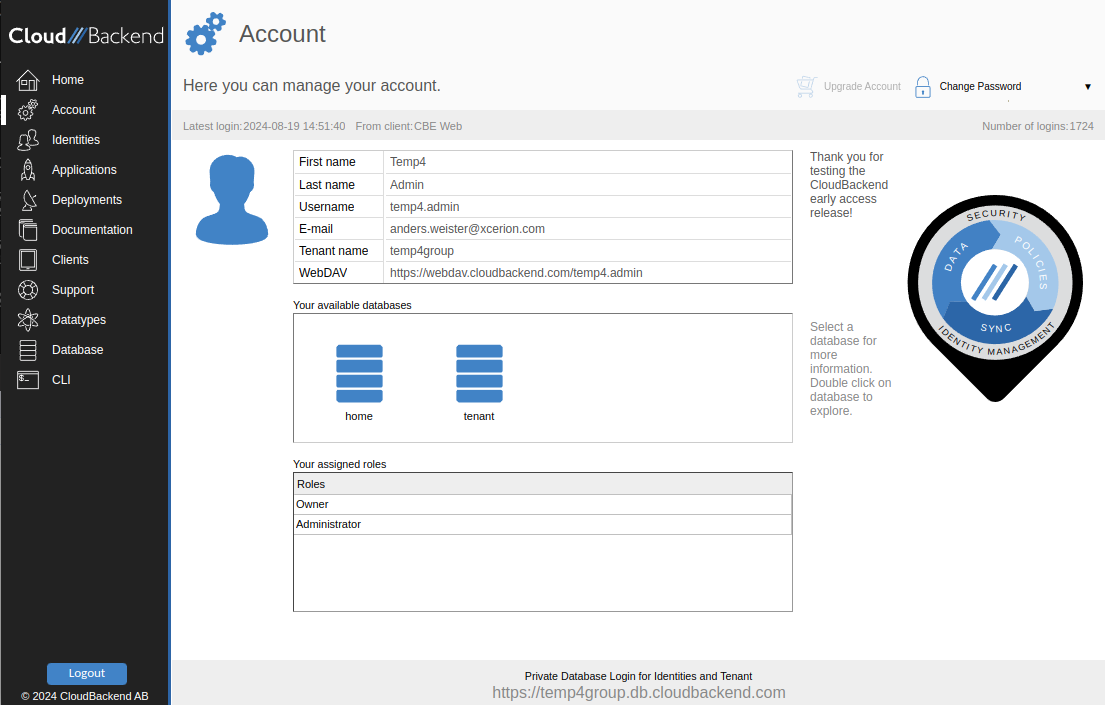
Account
Quotas, MFA, roles, the upgrade path — and Delete Me, erasure as a button.
What ships today, and what is next.
Identities, roles, KPIs, plans, support
Everything on this page is in the console today.
CRM, campaigns and email
Documented in the console. Ask us about current status before you build on them.
Data-placement policies
Rules for where data is physically stored, and health monitoring. Not binding until they ship.